🔋 Material Battery Dialog
NOTE
✨ Available on 💎 Pro & Ultimate Version Only
✨ Overview
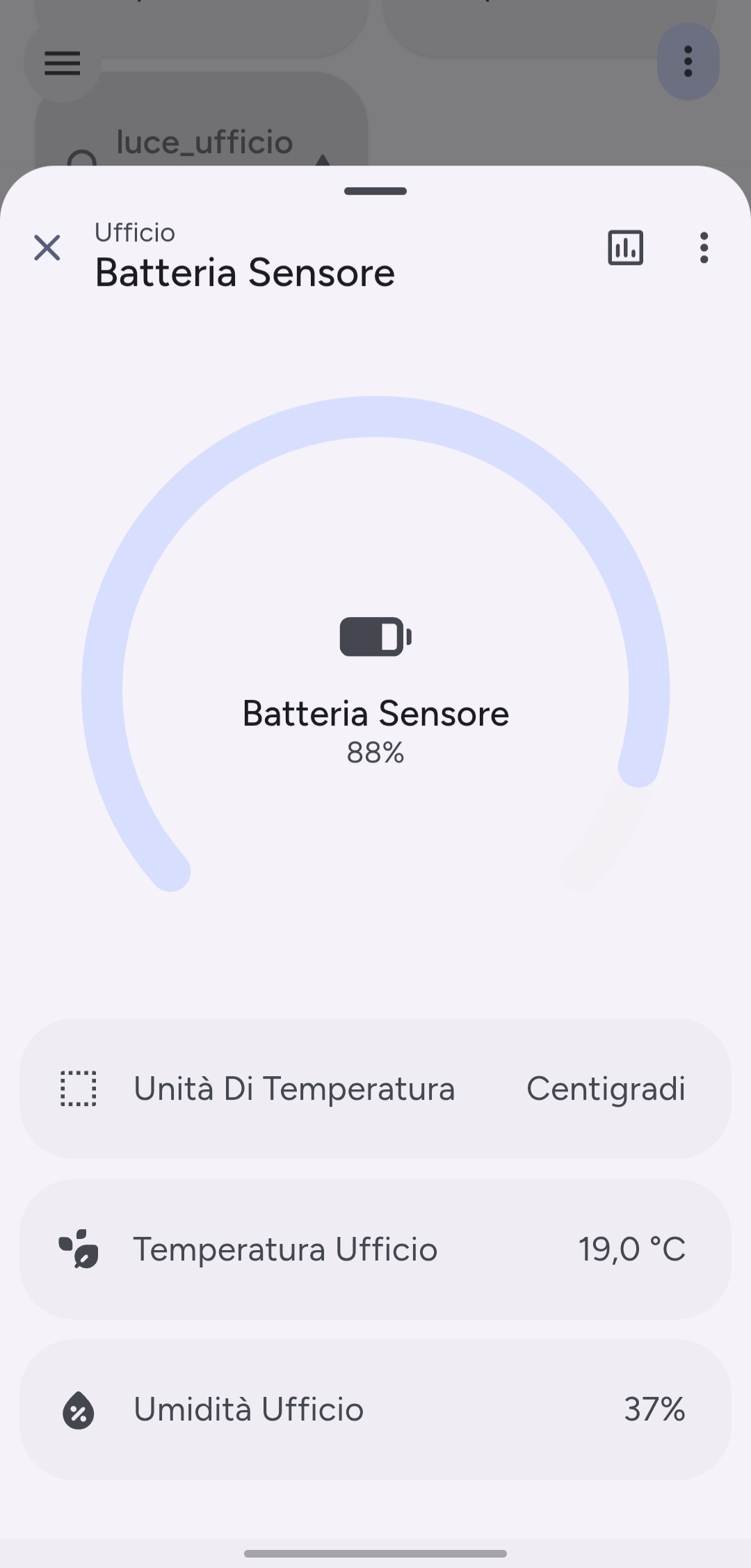
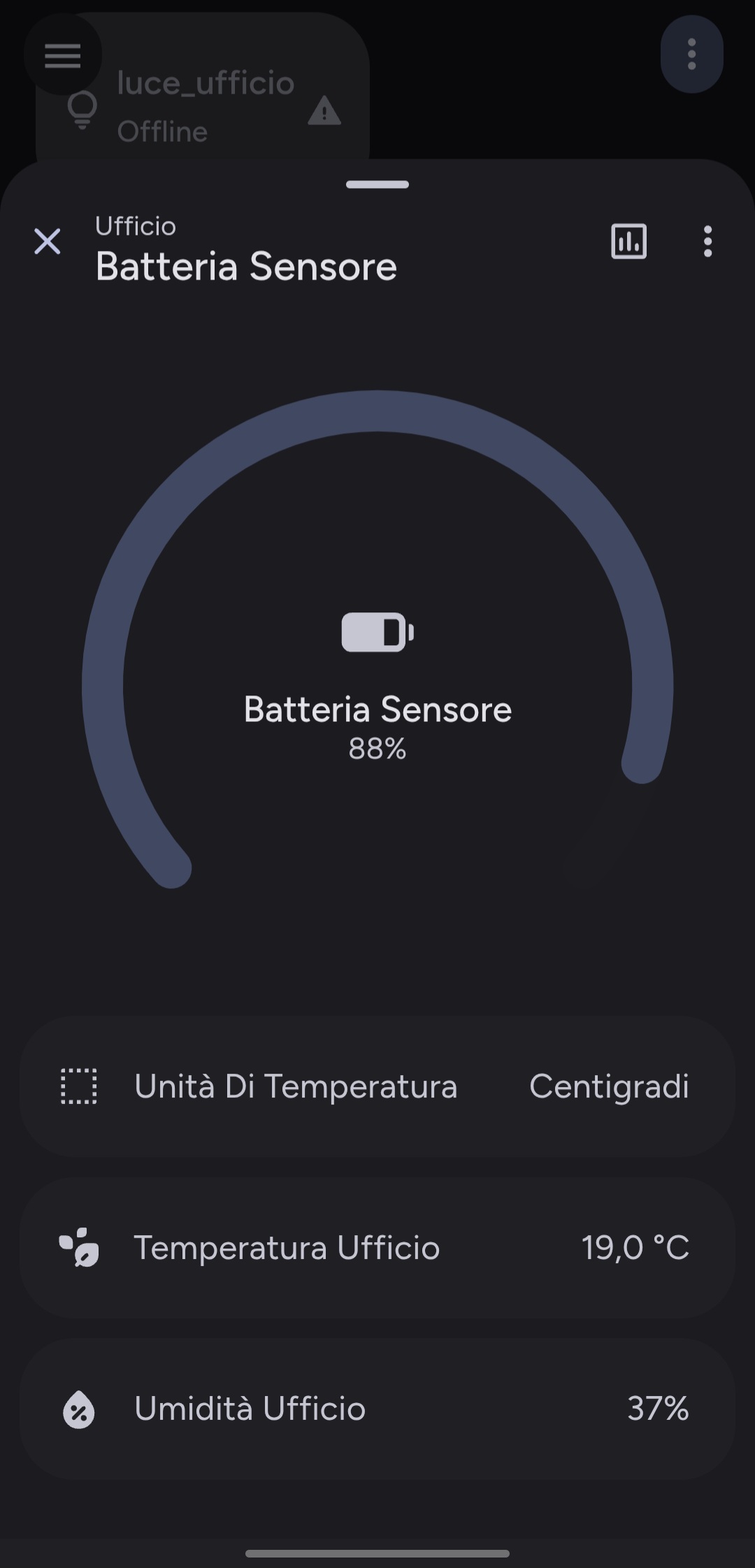
The Battery Dialog provides a specialized view for monitoring battery levels. It features a circular progress card for a quick visual assessment of the remaining charge and lists other related entities from the same device, offering a comprehensive overview of your device's power status.
This dialog gives users a fast and elegant way to check the battery life of sensors, remotes, and other peripherals without leaving the main Lovelace dashboard.
✅ How to Open the Battery Dialog
The dialog opens automatically. There is no need for manual configuration.
- If you do not define a
tap_action, the dialog will open automatically on tap.
Example: The dialog is automatic
type: custom:material-button-card
entity: sensor.phone_battery
# No tap_action needed!
ℹ️ Action trigger
| Action Type | Card Type | Sensor (By Device Class) | Attributes |
|---|---|---|---|
tap_action | material-button-card | battery | unit_of_measurement = % |
⚙️ Supported Device Classes
The Battery Dialog is designed specifically for sensors with the following device_class:
| Device Type | Description |
|---|---|
battery | Displays the battery level as a percentage, along with other entities from the same device. |
🎨 Dialog Features
| Feature | Description |
|---|---|
| Circular Progress | Shows the battery percentage in a large, easy-to-read circular progress bar. |
| Low Battery Alert | Dynamically turns the progress arc, icon, and state label red when battery is 15% or lower. |
| Dynamic Header | Shows the device name and area. |
| Related Entities Section | Lists all entities associated with the same device (e.g., temperature, signal strength). |
| History Button | Opens Home Assistant’s built-in history panel for the entity. |
| Dark/Light Theme Support | Automatically adapts to HA theme settings. |
| Responsive Layout | Adopts a fullscreen view on mobile and a centered dialog on desktop. |
🏷️ Customization with Labels
The Material Dialog supports specific Labels to give you full control over what is displayed. By applying labels like Dialog Hidden or Template in the Home Assistant entity settings, you can declutter your interface or fix layout issues for helpers.
TIP
To learn how to hide entities or manage template sensors, visit the Labels Configuration Guide.
💡 Example Use Cases
- Tap a remote control button card → view its exact battery percentage.
- Tap a door sensor card → check its battery level to see if it needs replacing soon.
- Tap any battery-powered sensor → get a full overview of the device's status.