
🌡️ Material Climate Card
🌟 Overview
The material-climate-card is a modern and intuitive card for controlling climate entities (thermostats, ACs) in Home Assistant. It features a sleek Material Design interface with easy temperature adjustments and mode selection.
✨ Editor Preview
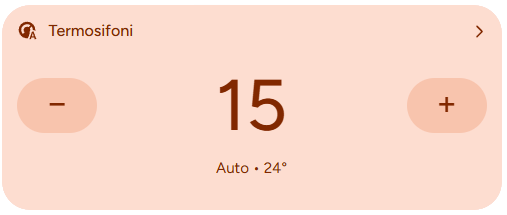
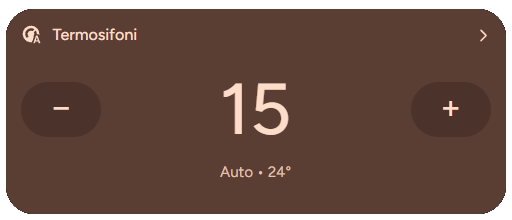
When adding a new material-climate-card via the UI editor, you will see a pre-configured preview to help you get started.
The preview defaults to:
- Entity: A random climate entity from your system (if available)
- Theme: Material Expressive (Dynamic colors)
Note: As soon as you modify any setting in the editor, the preview defaults are cleared, allowing you to fully customize the card.
🛠️ Configuration Options
| Option | Type | Description | Default | Required |
|---|---|---|---|---|
type | string | Must be custom:material-climate-card. | - | ✅ Yes |
entity | string | The climate entity ID to control (e.g., climate.living_room). | - | ✅ Yes |
name | string | Custom name to display on the card. | Entity name | ❌ No |
icon | string | Custom icon to display. | Entity icon | ❌ No |
use_material_color | boolean | Enables dynamic colors based on the current mode (Heat/Cool/Off). | true | ❌ No |
increase_temp | number | The step size for increasing temperature. | 1 | ❌ No |
decrease_temp | number | The step size for decreasing temperature. | 1 | ❌ No |
fix_temperature | string | Fixes temperature display issues (true, false, auto). | auto | ❌ No |
🌡️ Temperature Control
The card provides intuitive buttons to increase or decrease the target temperature. You can customize the step size for finer control.
Basic Configuration
type: custom:material-climate-card
entity: climate.bedroom_ac
Custom Steps
Adjust temperature by 0.5 degrees.
type: custom:material-climate-card
entity: climate.living_room
increase_temp: 0.5
decrease_temp: 0.5
🎨 Styling & Themes
The card supports a "Material Expressive" theme which changes the card's background color based on the climate state (e.g., Orange for Heat, Blue for Cool).
Disable Dynamic Colors
If you prefer a static look that matches your dashboard theme:
type: custom:material-climate-card
entity: climate.office
use_material_color: false
🔧 Advanced Options
Fix Temperature Display
If your thermostat reports temperature in a weird format, you can try forcing a fix:
type: custom:material-climate-card
entity: climate.old_thermostat
fix_temperature: "true"
🎨 Extended Customization
⚠️ LICENSE
Only for PRO and ULTIMATE users, get your licence now 🚀.
This card have a own version of Card-Mod. You can inject custom CSS to override any style or create unique animations.
💡 ADVANCED STYLING
👉 Check out the Styling Guide.
🌡️ Extended Color Modes
NOTE
🆕 Introduced in version 1.9.5
Starting from v1.9.5, the Material Climate Card introduces extended color support for all available HVAC modes.
Each mode now comes with its own title, subtitle, icon, button, and background color scheme, consistent with Material Expressive 3 guidelines.
This improves visual recognition and allows faster interaction based on color cues.
🔄 Auto and Heat Mode
Neutral warm tones for balanced automatic operation.
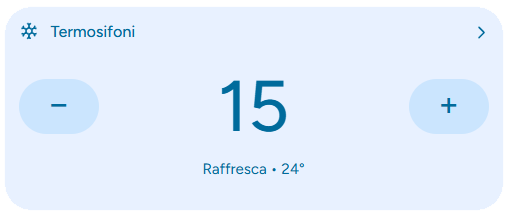
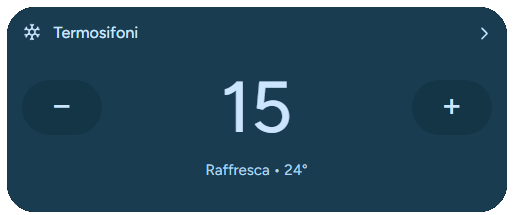
❄️ Cool Mode
Blue tones representing cooling.
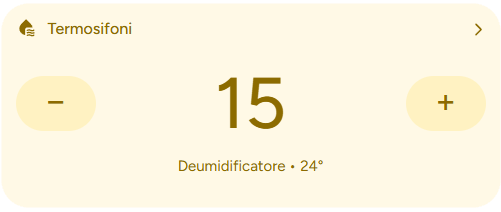
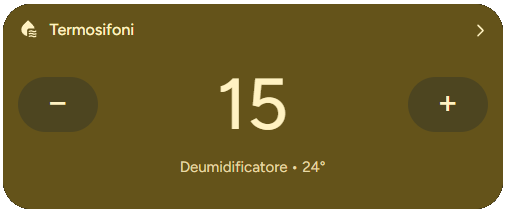
💧 Dry Mode
Yellow tones representing dehumidification.
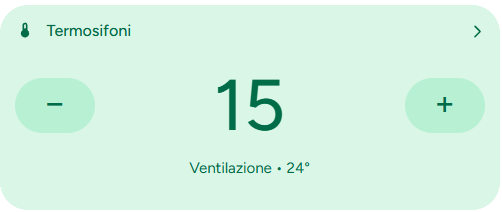
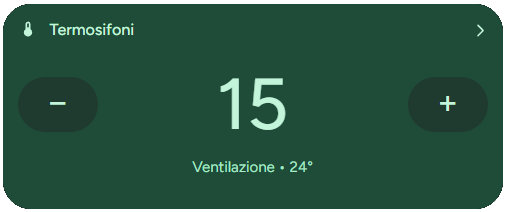
🌬️ Fan Mode
Green tones representing air circulation / ventilation.
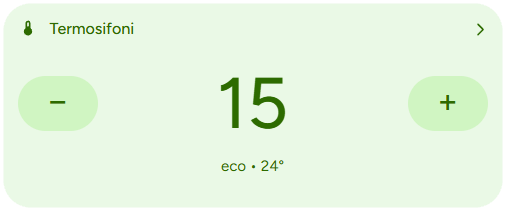
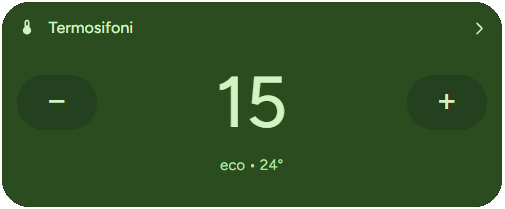
🌱 Eco Mode
Soft green tones representing energy saving.
👉 Tip
Colors adapt automatically to Light and Dark themes, ensuring legibility and consistency across the UI.