📱 Material Popup Card
NOTE
✨ Available on 💎 Ultimate Version Only
✨ Overview
The Material Popup Card allows you to create modal popups in your dashboard that can contain any other lovelace card. It mimics the behavior of modern mobile app sheets, providing a smooth and integrated user experience. Trigger it via browser navigation hash changes.
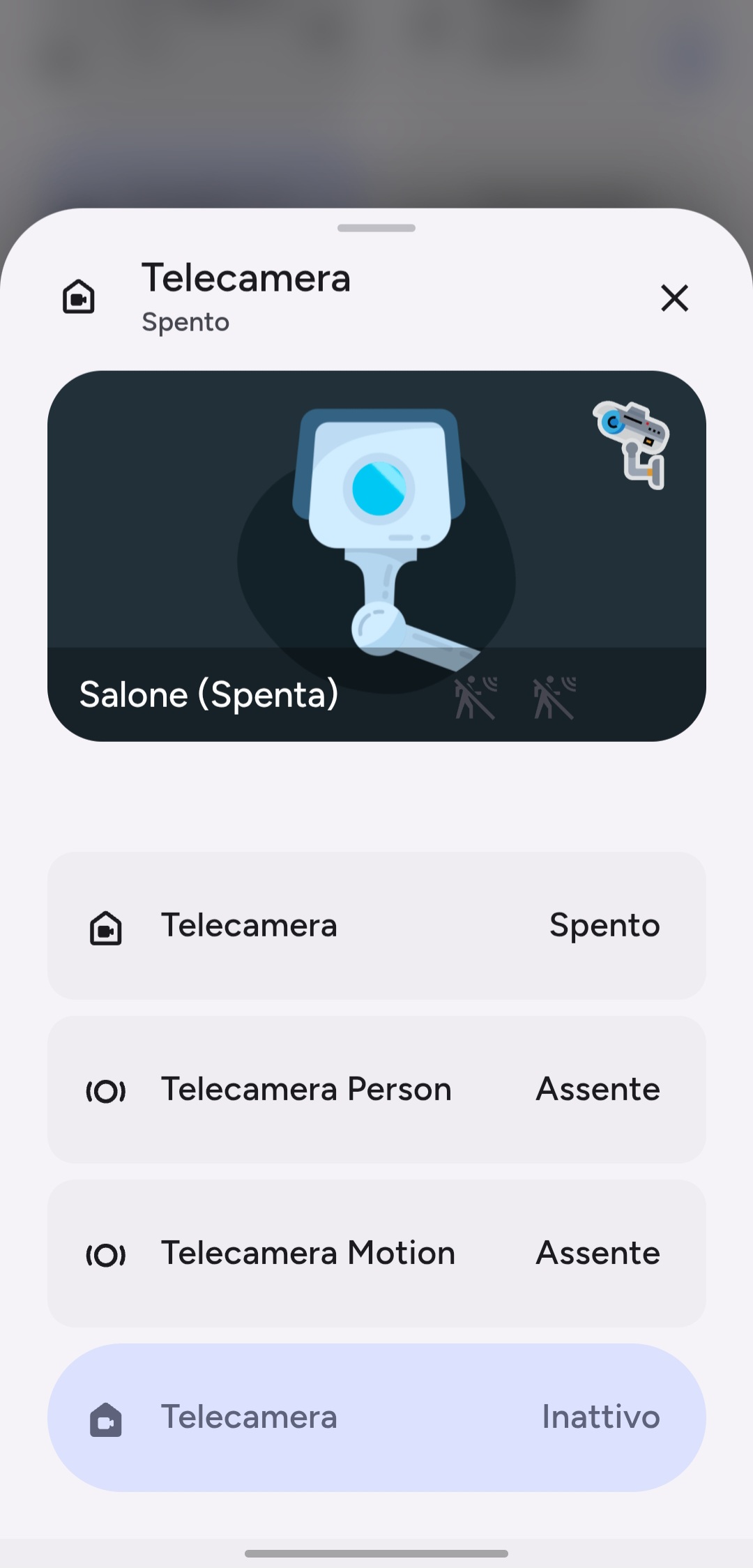
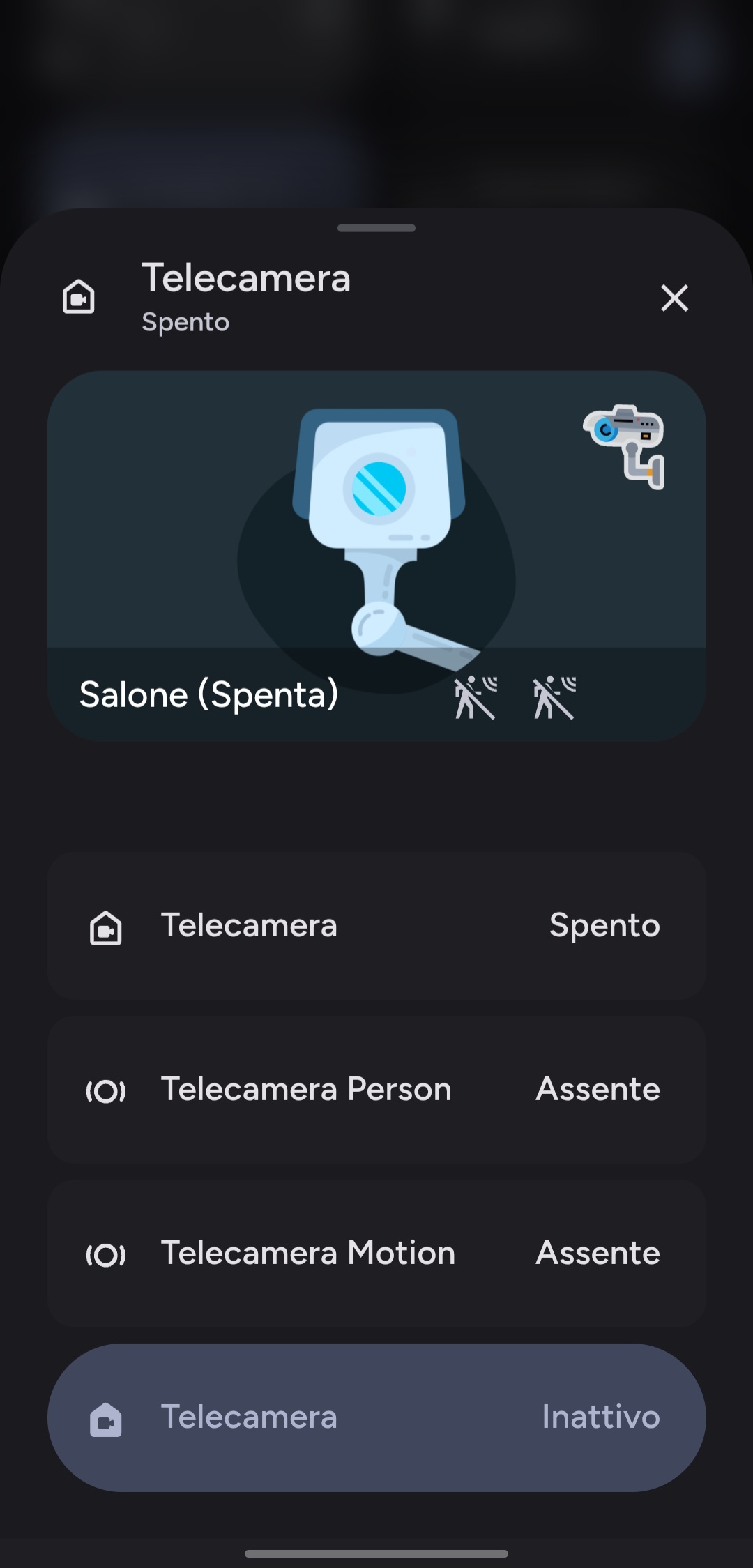
✨ Key Features
- Hash-based Trigger: Opens automatically when the URL hash matches the configured value (e.g.,
#popup). - Drag-to-Close: Supports intuitive swipe-down gestures to close the popup on mobile.
- Backdrop Blur: Customizable backdrop blur effect for a modern aesthetic.
- Nested Cards: Can contain any number of standard or custom lovelace cards.
- Header Customization: Optional header with title, icon, and additional action buttons.
- Auto-Close: Configurable timer to automatically close the popup.
- Views Management: Supports multiple sub-views ("Pages") within the popup. Navigate between views using header buttons, enabling rich interactive interfaces. (Alpha Preview)
⚙️ Configuration
| Name | Type | Default | Description |
|---|---|---|---|
type | string | Required | custom:material-popup-card |
hash | string | #popup | The URL hash that triggers this popup to open. |
cards | list | [] | A list of cards to display inside the popup. |
views | list | [] | Optional list of sub-views to display inside the popup body. (Alpha Preview) |
header | object | Optional | Configuration for the popup header. |
settings | object | Optional | Behavior settings like auto-close and drag sensitivity. |
style | object | Optional | Visual customization options. |
Header Options (header)
| Name | Type | Default | Description |
|---|---|---|---|
show_header | boolean | true | Whether to display the header. |
name | string | Popup | Title text displayed in the header. |
icon | string | Optional | Icon displayed next to the title. |
entity | string | Optional | Entity to display state/toggle in the header. |
button_type | string | name | Controls header interaction: switch, state, or name. |
sub_buttons | list | [] | List of additional icon buttons in the header. |
Settings Options (settings)
| Name | Type | Description |
|---|---|---|
auto_close | number | Time in milliseconds to auto-close the popup. |
close_by_clicking_outside | boolean | Close the popup when clicking the backdrop. |
slide_to_close_distance | number | Distance in pixels required to swipe down to close. |
Style Options (style)
| Name | Type | Description |
|---|---|---|
width_mobile | number | Width percentage on mobile devices. |
width_desktop | number | Width in pixels on desktop. |
border_radius | number | Border radius of the popup card in pixels. |
backdrop_blur | number | Blur amount for the backdrop in pixels. |
Views Options (views) (Alpha Preview)
| Name | Type | Default | Description |
|---|---|---|---|
view_id | string | Required | Unique ID for the view (e.g., settings). |
title | string | Optional | Custom title displayed when this view is active. |
icon | string | Optional | Custom icon displayed when this view is active. |
cards | list | [] | A list of cards to display inside this view. |
🚀 Usage Examples
Example Configuration:
yaml
type: custom:material-popup-card
hash: "#living-room"
header:
  name: Living Room Controls
  icon: mdi:sofa
  entity: light.living_room
  button_type: switch
cards:
  - type: entities
    entities:
      - entity: light.living_room_main
      - entity: switch.tv_plug
style:
  backdrop_blur: 5
  border_radius: 24
Example Configuration with Views (Alpha Preview):
yaml
type: custom:material-popup-card
hash: "#living-room-advanced"
header:
  name: Living Room Controls
  icon: mdi:sofa
  entity: light.living_room
  button_type: switch
  sub_buttons:
    - icon: mdi:dots-vertical
      navigate_view: advanced_settings
cards:
  - type: entities
    entities:
      - entity: light.living_room_main
      - entity: switch.tv_plug
views:
  - view_id: advanced_settings
    title: Advanced Settings
    icon: mdi:cog
    cards:
      - type: entities
        entities:
          - entity: sensor.living_room_humidity
          - entity: sensor.living_room_temperature